
Bernards Township Library
🏢 Main Library Alliance · Basking Ridge, New Jersey
Bernards Township Library
Serving Basking Ridge and Bernards Township from 32 South Maple Avenue, this municipal library traces its roots to an 1893 reading room and its 1898 incorporation. As a member of the Main Library Alliance, a single card here reaches more than two million shared items across dozens of northern New Jersey libraries.
🕑 Library Hours
| Monday | 10am–9pm |
| Tuesday | 10am–9pm |
| Wednesday | 10am–9pm |
| Thursday | 10am–9pm |
| Friday | 10am–5pm |
| Saturday | 10am–2pm |
| Sunday | Closed |
Hours may vary on holidays; check the library site before visiting.
📍 Location, Contact & Directions
Address: 32 South Maple Avenue, Basking Ridge, NJ 07920
Phone: (908) 204-3031
Website: bernardslibrary.org
Plus Code: 87G7PF42+8W (Basking Ridge, NJ)
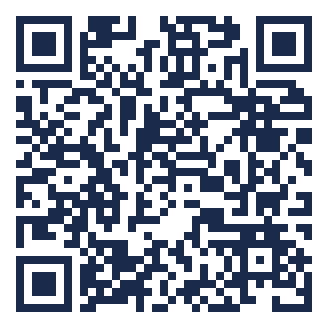
📱 Scan for directions
Point your phone camera at the code to open turn-by-turn directions in Google Maps.
👋 Use the Library Online
📍 Plan your visit
🚉 Getting there
32 S Maple Ave, Basking Ridge, NJ 07920. Get transit & driving directions → (live subway, bus & car routes).
♿ Accessibility
Includes wheelchair-accessible entrance, accessible parking, accessible seating.
⭐ Visitor rating
4.8 / 5 from 94 Google reviews.
🕑 Best time to go
Usually calmest soon after opening; busiest around 1 pm.
Visit details from the library’s Google Business Profile, verified October 2026 — confirm on official page before a special-date trip.
📖 About Bernards Township Library
The Bernards Township Library began in 1893 in the home of Mary and Elizabeth Barkalow on South Finley Avenue, and was formally incorporated on May 21, 1898, as the Basking Ridge Free Public Circulating Library Association — starting with a collection of about 575 books and 205 borrowers within its first three months. After several early homes on Finley Avenue, the library moved to its present site at 32 South Maple Avenue, on land cleared in 1973 when the former Maple Street School was demolished. A major "Space Reorganization" project completed in February 2017 added a dedicated Teen Room, a Quiet Study Room, a Technology Center, and additional study areas. The library joined the Main Library Alliance in 1997, and in 2023 it marked its 125th anniversary with nearly 17,000 registered users and more than 140,000 physical items in its collection.
⭐ What makes this library special
- Roots reach back to an 1893 reading room in the Barkalow sisters' home; formally incorporated May 21, 1898
- Member of the Main Library Alliance, a shared catalog of 2+ million items across dozens of northern New Jersey libraries
- 2017 "Space Reorganization" created a dedicated Teen Room, Quiet Study Room, and Technology Center
- Launched its first non-English adult collection (Chinese) in 2018; over 140,000 physical items today
- Free notary service, museum passes, and streaming through Libby, Hoopla, and Kanopy
📱 Digital Resources — Free with Your Library Card
A Bernards Township Library card unlocks streaming, eBooks, and research databases free from home:
📚 Services
- Main Library Alliance shared borrowing across dozens of northern New Jersey libraries (2+ million items)
- Notary public service ($2.50 per seal, Mon–Fri 11am–4pm; call ahead to confirm)
- Museum passes for reduced or free admission to area cultural institutions
- Teen Room, Quiet Study Room, and Technology Center added in the 2017 renovation
- Public computers, free Wi-Fi, and printing
- Non-English adult collections, including a Chinese-language collection begun in 2018
- Text-a-librarian help line (908-365-0776)
🎸 Programs
- Children's storytimes and early-literacy programs
- Teen programming in the dedicated Teen Room
- Adult author talks, workshops, and cultural events
- One-on-one technology help sessions
- Book discussion groups
📍 Nearby Libraries in Somerset County & Northern NJ
Distances are approximate straight-line miles from this library.
All libraries in Basking Ridge · Browse all New Jersey libraries →
❓ Frequently Asked Questions
Does the Bernards Township Library offer exam proctoring and tax help?
Yes. The library provides exam proctoring services for students and professionals, and during tax season it hosts free income-tax assistance for eligible filers. These are in addition to its notary service and museum-pass lending.
Is there a garden at the Bernards Township Library?
Yes. The library maintains a Native Plant Garden on its grounds at 32 South Maple Avenue, planted with species native to the region. It offers an outdoor space for visitors alongside the library's indoor Teen Room, Quiet Study Room, and program rooms.
What are the Bernards Township Library's hours in Basking Ridge?
The library at 32 South Maple Avenue is open Monday through Thursday from 10:00 AM to 9:00 PM, Friday from 10:00 AM to 5:00 PM, and Saturday from 10:00 AM to 2:00 PM. It is closed on Sundays and on public holidays such as Labor Day. When the building is closed, the library's virtual branch — Libby, Hoopla, Kanopy, and the online catalog — remains available around the clock.
How old is the Bernards Township Library?
The library began in 1893 as a reading room in the home of Mary and Elizabeth Barkalow on South Finley Avenue and was formally incorporated on May 21, 1898, as the Basking Ridge Free Public Circulating Library Association. It celebrated its 125th anniversary in 2023. Its present building at 32 South Maple Avenue stands on land cleared in 1973, where the former Maple Street School once stood.
What is the Main Library Alliance and how does it help Bernards Township cardholders?
The Bernards Township Library joined the Main Library Alliance in 1997. The alliance is a shared-services consortium of northern New Jersey public libraries whose combined catalog holds more than two million items. A Bernards Township Library card lets you search that shared catalog, place holds, and borrow materials from partner libraries across several counties, all delivered to your home branch.
Does the Bernards Township Library offer notary and museum-pass services?
Yes. Notary service is available to patrons for $2.50 per seal, generally Monday through Friday from 11:00 AM to 4:00 PM — call 908-204-3031 first to confirm a notary is on duty. The library also lends museum passes that provide free or reduced admission to area cultural institutions; passes are checked out and returned at the Bernards Township Library.
🎨 This library lends museum passes. See how library museum passes work and find other libraries that lend passes museum passes by state.
📋 This library offers notary services. See what a library notary can do — what to bring, fees and appointments — and find other libraries with a notary notary services by state.
📚 This library has study rooms. See how library study rooms work — booking, time limits and quiet vs group rooms — and find other libraries with study rooms libraries with study rooms by state.
🖨 This library offers printing, copying & fax. See how library printing, copying, scanning and fax services work — costs and mobile printing — and find other libraries that offer them printing & fax by state.
✎ Notice something out of date? Suggest a correction and we’ll verify and update it.
✓ Hours & details last verified from official sources in September 2026.